Select this license type when you are developing an app for iOS, Android, or Windows Phone, and you will be embedding the font file in your mobile application's code.
Framealot
by Ingrimayne Type
Individual Styles from $14.95
Complete family of 3 fonts: $17.95
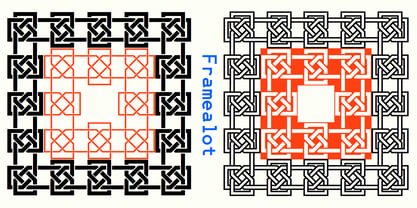
Framealot Font Family was
designed by
Robert Schenk and
published by
Ingrimayne Type. Framealot contains
3
styles and family package options.
More about this family
 FREE 30-DAY TRIAL of Monotype Fonts to get over 150,000 fonts from more than 1,400 type foundries.
Start free trial
FREE 30-DAY TRIAL of Monotype Fonts to get over 150,000 fonts from more than 1,400 type foundries.
Start free trial
- Aa Glyphs
-
Best ValueFamily Packages
- Individual Styles
- Tech Specs
- Licensing
Per style:
$5.98
Pack of 3 styles:
$17.95
About Framealot Font Family
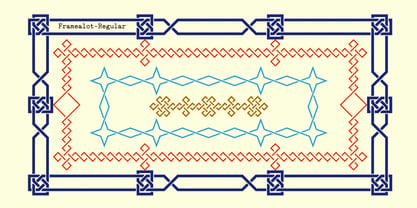
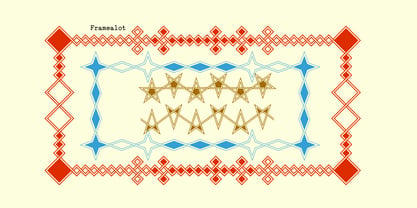
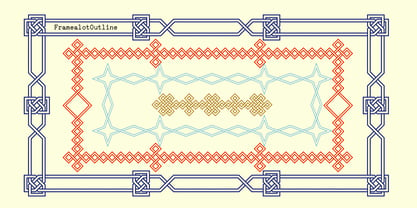
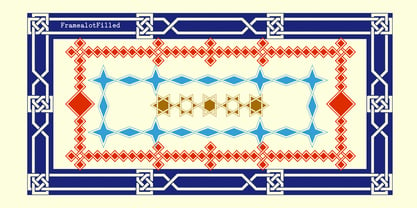
Framealot is a frame or border or page divider construction kit. By choosing and mixing various elements, a wide variety of different geometric borders or frames or dividers are possible. The largest set is on the upper-case keys. There are two other sets on the lower case keys (plus the comma and period.) The characters above the number keys (the whole top row with shift, plus {}| keys are another set. And there are a couple of other small sets. Not all the sets allow vertical dividers. Outlined versions are available on the outline style, and the filled style either inverts the pattern or removes white interior sections for the outline version (and has some other differences compared to the other two versions). Use a character map to find all the parts of a set, type them out on your document, and then copy and paste to construct your border or frame. Have fun with it!
Designers: Robert Schenk
Publisher: Ingrimayne Type
Foundry: Ingrimayne Type
Design Owner: Ingrimayne Type
MyFonts debut: Jun 14, 2006
Framealot

About Ingrimayne Type
IngrimayneType distributes digital typefaces designed by Robert Schenk. Robert became fascinated with type design in the late 1980s and began designing type in 1988 with an early version of Fontographer. He has designed a wide variety of typefaces, from standard text fonts to bizarre decorative faces. Many of these faces were designed to meet specific needs but others were experimental, designed as a challenge to form letters that met a narrowly-defined criteria. Areas of special strength in the IngrimayneType library include novelty fonts, picture fonts including tessellations, and fonts with alternating character sets.
Read more
Read less